



How does Google built-in enhance the 2026 Mazda CX-5 for daily driving in West Allis, WI?
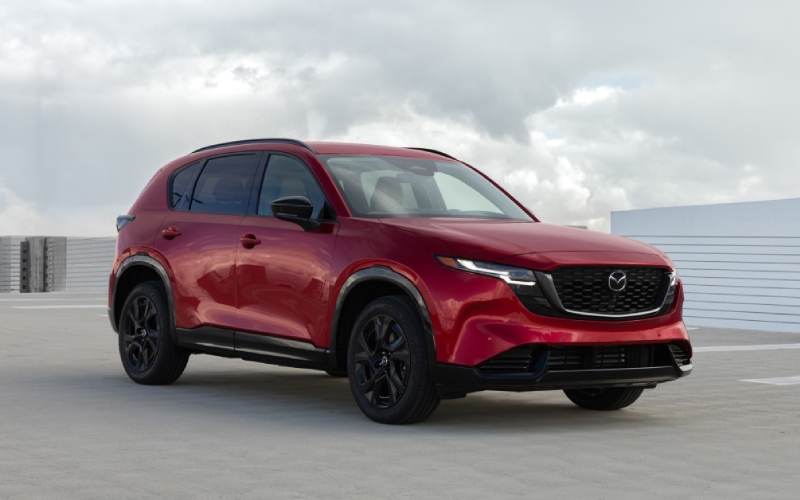
Russ Darrow Mazda of Greenfield – How does Google built-in enhance the 2026 Mazda CX-5 for daily driving in West Allis, WI?
Drivers who rely on navigation, podcasts, and voice assistance every day will appreciate how naturally Google built-in integrates into the 2026 CX-5’s available 15.6-inch touchscreen. With this system, you do not have to juggle multiple devices or guess which menu hides the feature you need. Instead, you get a familiar interface that brings Google Maps, the Google Play Store, and sign-in to a Google Account into the heart of the vehicle. For commutes around West Allis, WI and weekend trips across southeastern Wisconsin, this design removes friction and helps you settle into a calm, confident rhythm from the moment you set off.
Because the interface is designed for the road, key actions are fast and predictable. You can search destinations in Google Maps using natural terms, check live traffic, and pull up saved places you marked on your phone at home. Sign-in brings your preferences along, so everyday routines feel seamless. Compatible media and news apps from the Google Play Store place your favorite audio one tap away, and updates can add new capabilities over time. Google Gemini, an AI assistant from Google, is coming soon to cars with Google built-in, promising even more natural voice-based help. Pair this technology with the CX-5’s standard i-Activ AWD and the calm, quiet demeanor of its recalibrated 2.5-liter SkyActiv-G powertrain, and you get a crossover that handles both the drive and the digital details with composure.
Frequently Asked Questions:
Can I use my existing Google Account in the CX-5?
Yes. When you sign into a Google Account, Google Maps immediately recognizes your saved places and previous searches. This personalization shortens setup time and makes it easy to head to your regular coffee shop, school pickup, or evening activity without re-entering addresses.
How do updates work for apps and features?
The Google Play Store provides compatible in-vehicle apps, and updates can be delivered to refine functionality. This approach helps keep your infotainment system familiar and up to date, much like your other devices.
What if I prefer not to sign in?
You can still use core navigation and media features without signing in. However, signing into a Google Account enables personalized content such as saved places and can streamline daily driving.
To get the most from this system, a quick on-site setup makes a difference. The steps are simple and can be completed before you pull out of the lot.
- Sign in to personalize: Use your Google Account to carry over saved places and preferences for immediate familiarity.
- Pin your essentials: Customize the home screen with your most-used apps for fewer taps on the go.
- Test voice prompts: Try common requests for directions, playlists, or quick information to build confidence in hands-free use.
This integration is especially valuable in winter and rush-hour traffic, where fewer taps and clear guidance make every mile easier. It complements the CX-5’s wider stance, expanded cabin space, and refined ride quality, creating a quiet, connected environment that reduces stress on busy days. If you are comparing options for a tech-forward compact SUV, the CX-5’s approach stands out by being both powerful and approachable.
When you are ready to try it yourself, schedule a visit with Russ Darrow Mazda of Greenfield. Our product specialists can walk you through signing in, organizing your app layout, and testing navigation on a local route that fits your routine. For shoppers across southeastern Wisconsin, we are proudly serving West Allis, Brookfield, and Menomonee Falls with test drives that mirror the way you actually drive.
0 comment(s) so far on How does Google built-in enhance the 2026 Mazda CX-5 for daily driving in West Allis, WI?